McCormick Family Pictures

A little closer,
one photo
at a time.

The everyday moments. The old favorites. The people she loves. Send a photo, and it can become part of the family slideshow on Grandma's TV.

Attach your photos and choose Actual Size or Original Quality when asked.
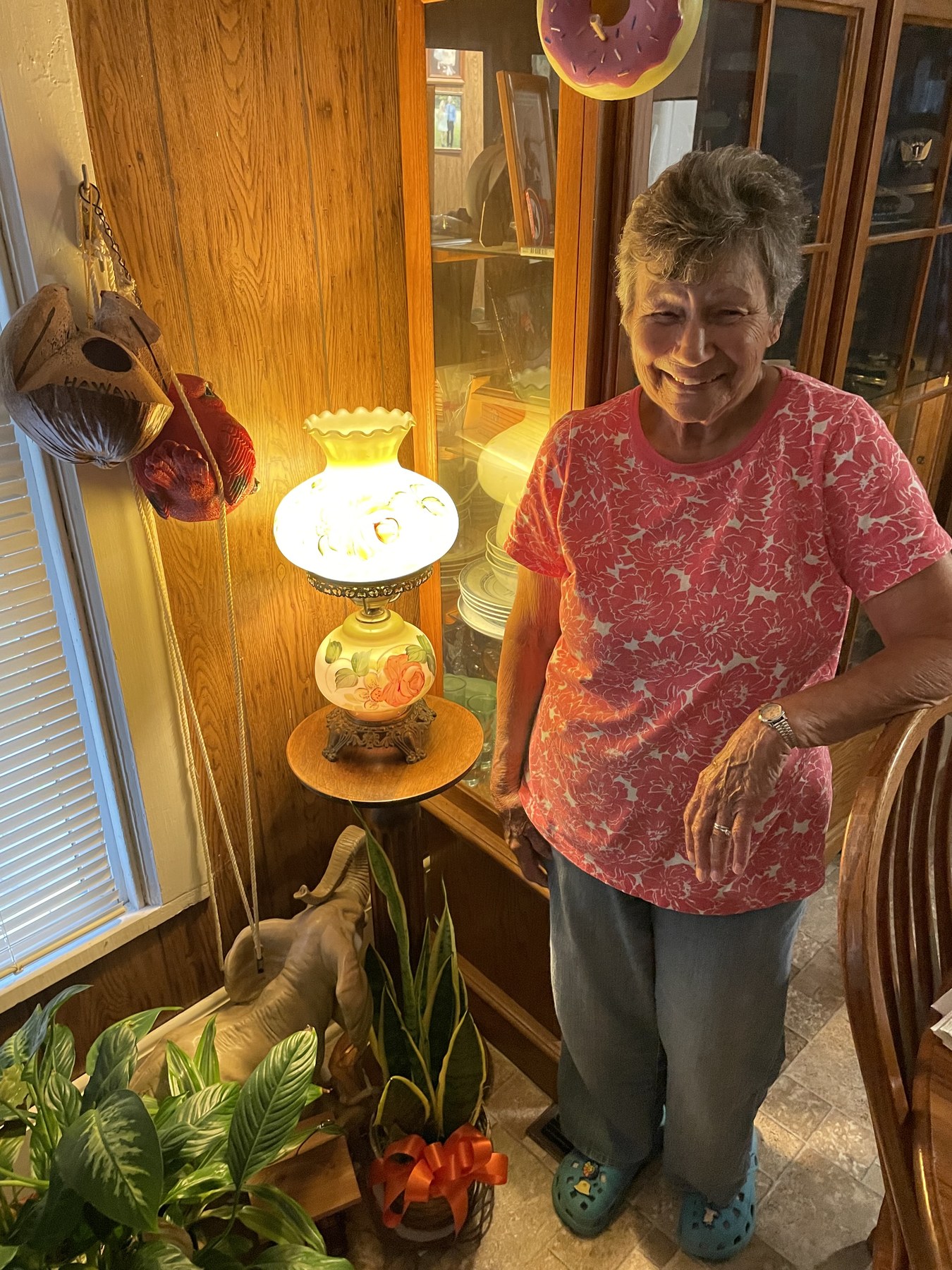
Grandma smiling at home beside a glowing lamp
For Grandma, with love.

From your phone to her TV

  1. Email your photos

    Open your email app, attach a few pictures, and send them to the address above.

  2. They join the slideshow

    Your photos are added to the family rotation. You'll get an email reply when they arrive.

  3. Give her another reason to smile

    Family moments appear on Grandma's TV throughout the day, with nothing she needs to do.

What should I send?

You don't need
a special occasion.

A quick snapshot is perfect. It's about helping Grandma feel close to the people and places she loves.

A little everyday life

The kids, the pets, dinner together, a project, a visit. The little things are worth sharing.

A memory worth revisiting

Old family photos, holidays, reunions, and favorite trips. Scanned prints are welcome, too.

The full-size version

Send the original photo when possible. Choose Actual Size or Original Quality so it looks its best on her TV.

Something for her room

Keep it family-friendly. Only send photos you're comfortable having displayed in Grandma's room.

The story behind McPics

Made for Grandma.
Shared by all of us.

McCormick Family Pictures was created with love for Grandma.

Grandma has always been such an important part of my life, and this project was built from a place of love and gratitude. The idea is simple: to give family an easy way to share everyday moments, old memories, and familiar faces with her.

Photos sent here can show up right on her TV, bringing a little more connection, comfort, and joy into her room throughout the day.

It is a small project, but it means a lot — a way to share with Grandma the people, memories, and everyday moments that make our family special.

Read how McPics works

A little better, little by little

What's new

The small improvements that keep the photos coming and the slideshow running smoothly.

Updated Website

We gave the McPics website a fresh look and made it easier to share photos, read the family story, and explore how the slideshow works:

  • A warmer welcome. Grandma's photo now takes center stage, with richer colors and a simpler layout for phones and computers.
  • Easier photo sharing. Clear send-photo buttons, a copy-email option, and a reminder to choose Actual Size or Original Quality help everyone send pictures that look their best.
  • More room for the story. The original project story is now visible as you scroll, paired with warm photo-album imagery and a more prominent closing message.
  • A few personal touches. Layered photo borders, a handwritten-style caption, gentle mouse tilt on desktop, and soft animations give the page more character. Motion respects reduced-motion preferences.
  • Behind the slideshow. A new technical details page explains how emailed photos reach the screen and shares six design challenges we worked through along the way.
  • Cleaner navigation. Photo tips are easier to find, past updates expand right where you tap, and the footer now links to the technical story instead of repeating an email button.
Added Monitor Sleep Schedule

We added a schedule so the display can rest during quiet hours and come back for the slideshow when it is time.

  • Scheduled screen rest. The monitor can now follow a sleep schedule instead of staying bright all day and night.
  • Less overnight distraction. The slideshow can step aside during sleep hours so the room stays calmer when photos are not needed.
  • Automatic return. When the schedule says it is time to wake, the display can come back to the normal family photo rotation.
Slideshow Algorithm Improvements

A few improvements to how the slideshow picks and shows your photos:

  • Every photo gets its turn. We fixed a quirk where a handful of photos repeated far too often while others rarely appeared. The slideshow now works through the whole collection evenly before coming back around.
  • New photos still get a moment in the spotlight. When someone sends in new pictures, they show up promptly a few times, then settle into the regular rotation with everything else.
  • Names display properly. However your email signs your name, lowercase, ALL CAPS, or anything in between, it now shows up neatly formatted on the slideshow and contributor boards.
  • Better duplicate detection. When the same photo arrives from more than one person, we're smarter about crediting everyone while showing it just once.
Contributor Count Fixes

We cleaned up a couple of counting issues behind the scenes:

  • More accurate contributor names. Fixed a bug where someone could be counted as two different contributors on the stats page if one of their photos arrived with incomplete sender info, showing up as a username like "elodell1515" instead of their real name.
  • Smarter duplicate-photo detection. Fixed the duplicate-photo detector being a little too aggressive. Two different photos taken moments apart, like a quick burst, could get flagged as "the same picture" and only one would be counted or shown. Matching is now tighter so genuinely different photos no longer get merged together.
Automatic Email Replies

We've made emailing photos to the family slideshow friendlier and smarter:

  • A thank-you when your photos arrive. Email in your pictures and you'll get a quick "we got your photos - thank you!" note so you know they made it. Send several at once and we'll bundle them into one tidy reply instead of cluttering your inbox.
  • A heads-up if a photo came through too small. Phones often shrink photos when emailing them. If one arrives too small to look good on screen, we'll let you know which one and show you how to resend it at full quality. On an iPhone, just choose "Actual Size" when you attach it.
  • A nudge if an email arrives empty. If something goes wrong and your email comes through with no photos attached, we'll let you know so you can try again.
  • A sharper slideshow. Photos that are too low-resolution are now automatically kept off the screen, so everything stays crisp. Send a higher-quality version anytime and it'll take its place.
  • A sweeter McPics logo. We also tweaked the logo with a small heart above the i.
Slideshow Enhancements

We've been busy making the family photo slideshow even nicer to watch. Here's what's new:

  • Looks great on any screen. Photos and the Family Update screen now scale smoothly for Full HD monitors and big 4K TVs.
  • Smoother transitions. Photos gently fade from one to the next.
  • Cleaner captions. The "who sent it and when" note now appears after each photo loads.
  • Distraction-free display. The mouse pointer hides itself when it is not being used.
  • Never gets stuck. If a photo cannot be shown, the slideshow simply moves on.
  • Smarter Family Update board. Everyone is counted once, even if they send photos from more than one email address.
  • Best-quality photos. Behind-the-scenes cleanup helps keep the sharpest versions on screen.
Desktop Support

We made McPics easier to support from the desktop:

  • One-click shortcuts. Added simple desktop/menu shortcuts for the slideshow, settings, Family Update preview, and status checks.
  • Better remote troubleshooting. The status shortcut helps quickly check whether McPics is running, importing photos, and seeing the local photo library.
  • Cleaner relaunches. The slideshow can be reopened manually without waiting through the startup delay.
Photo Importing

We made photo importing more reliable:

  • Fewer duplicate photos. McPics can now recognize exact duplicates from the same sender.
  • Safer retries. If Gmail slows down or hits a quota limit, McPics stops cleanly and tries again later instead of making a mess.
  • Better contributor credit. If two family members send the same photo, McPics can still give credit without cluttering the slideshow.
Family Update

We added the Family Update experience:

  • Family Update screen. McPics now shows a friendly snapshot of recent photo activity.
  • Fairer slideshow. New and rarely seen photos get priority so the same pictures do not repeat too often.
  • iPhone photo support. Emailed HEIC/HEIF photos can be converted so they work in the browser slideshow.
  • More predictable startup. Setup and day-to-day running were separated so the appliance starts faster and more reliably.
Management Tools

We made McPics easier to manage:

  • Photo history. McPics started tracking which photos have appeared and how often.
  • Smarter photo picking. The slideshow began choosing photos from the server so it can balance what has already been shown.
  • Local settings page. Added a simple admin page for checking and adjusting McPics from the laptop.
Foundation

McPics got its foundation:

  • Project started. Built the first local photo slideshow for Theresa's Linux Mint TV laptop.
  • Local photo library. McPics began reading photos from the laptop and showing them full-screen in the browser.
  • SQLite tracking. Added a local database so imported photos, senders, and photo history could be remembered.
  • Sender folders. Photos could be organized by who sent them, while still appearing together in the slideshow.
  • Remote-support basics. Started adding clear setup, logging, and health-check pieces so the system could be maintained over TeamViewer.